
 |
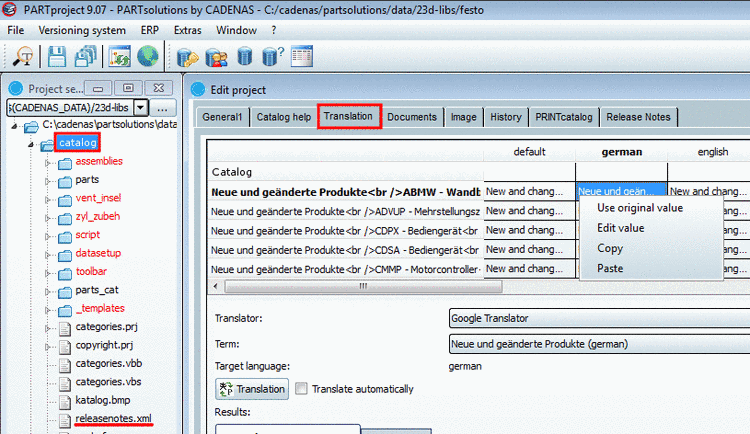
The translation of Release Notes inside of PARTproject has been optimized with version 9.07. Once the catalog itself is selected on the left side in the tree and the Translation tabbed page in the Edit project window on the right side, the single release notes are listed.
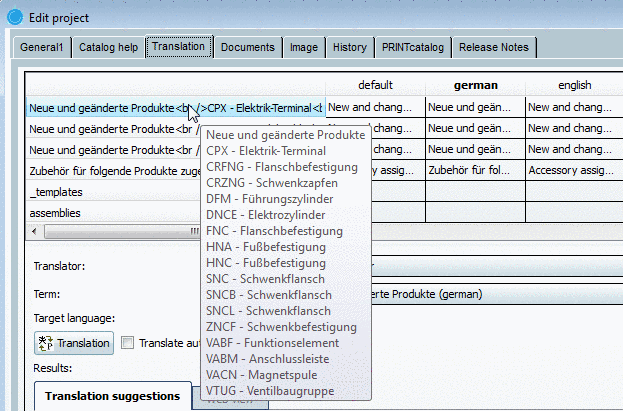
When you move the mouse over a line in the left column, a preview with the original terms appears.
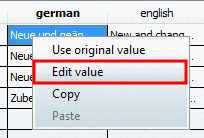
Right-click into the cell with the desired translation target language.
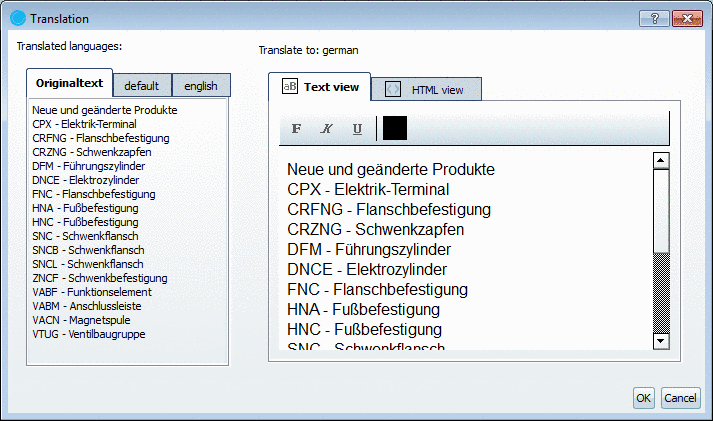
-> The Translation dialog box opens.
On the left side you can select one of the already translated languages via tabbed page.
On the right side the target language is displayed. Set the cursor into the desired text block and edit the content. Switch to the HTML view tabbed page - if needed.
If you translate a target language, still without content, may be it is helpful to use the context menu commands Select All and Copy on the left side and to paste the content into the target language on the right side using the Paste command.
If you use the
SVN rights management, it is possible to only checkout the file releasenotes.xml for
editing.

Further information on Release Notes is found under Section 5.9.22, “Tabbed page Release Notes ” in eCATALOGsolutions Manual.
Information on translation in general is found under Section 5.8.2.1.13, “ Translation ” in eCATALOGsolutions Manual.