
 |
It is now possible to select the faces to search with Partial search directly in the CAD system. Before we transferred the complete model to PARTsolutions and picked the faces there, but it took a lot of time.
The feature is available for all big CAD systems except OSDM.
![[Important]](https://webapi.partcommunity.com/service/help/latest/pages/jp/partsolutions_user/doc/images/important.png)
Click on the command Perform Partial Search.
Finally confirm with the Esc key.
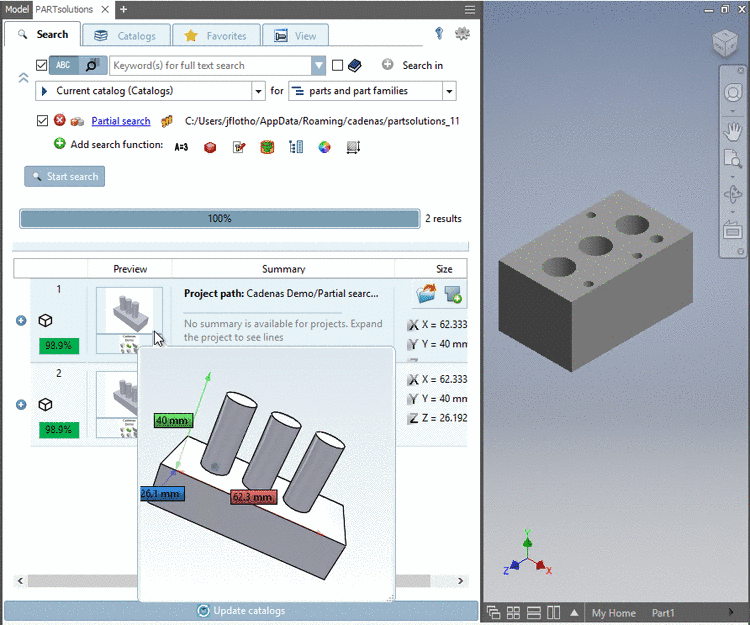
-> The Partial Search is performed in the Seamless dialog box.
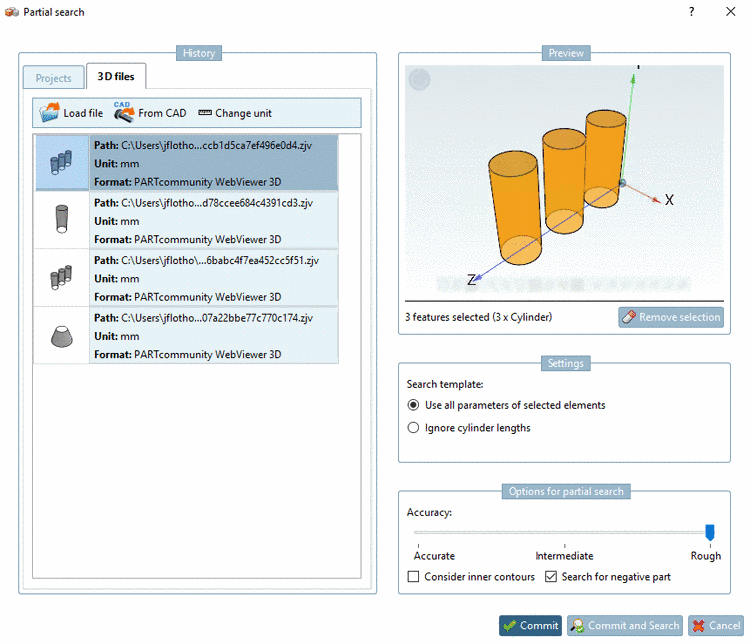
In order to change search settings, in the Seamless window, click on the link Partial search.
In the example in hand, activate the option Negative part and confirm with Commit.
Then in the Seamless dialog, click on .
-> Now fitting negative parts are found.

For details see Section 3.1.6.4.10, “ Partial search ” in PARTsolutions - User manual.