5.8.2.2.10.
Hide project / Show project
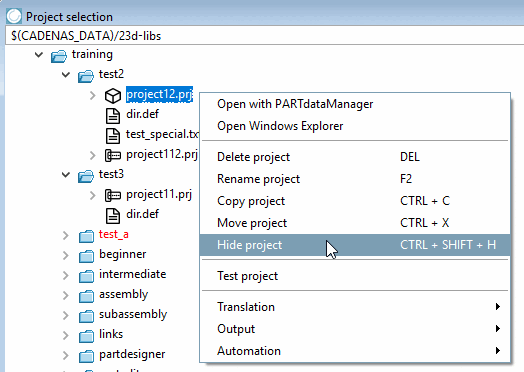
Hide project hides the selected project from the tree of available directories (in the PARTdataManager ).
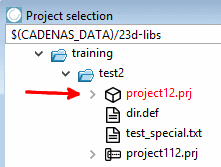
-> In the PARTproject itself, the directory is marked in red.
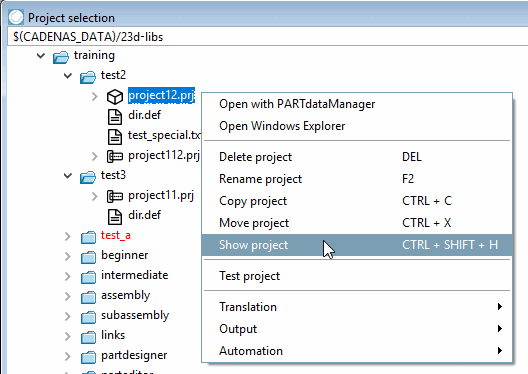
If you select the project again and choose the Project visible [Show project] command, this status is canceled again.
Initial
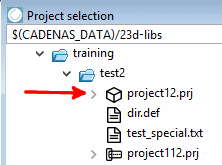
situation: Project "project12.prj" shall be hidden.
Select the project to be hidden and click on the context menu command Hide project.
-> Now the project is displayed in red.
The Project visible [Show project] command can be used to make the project visible again (black) if required.
![[Note]](https://webapi.partcommunity.com/service/help/latest/pages/jp/partsolutions_user/doc/images/note.png) | Note |
|---|
Changes only become active once they have been saved and the index has been updated. |