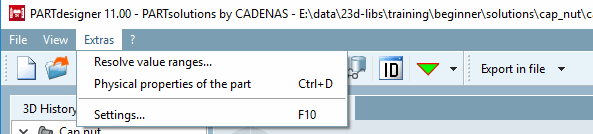
Resolve value ranges [Resolve value ranges...] using... ( PARTdesigner -> Extras menu), you can break down values that contain value ranges into individual values.
![[Note]](https://webapi.partcommunity.com/service/help/latest/pages/jp/partsolutions_user/doc/images/note.png)
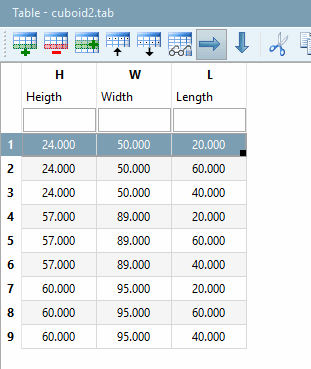
There is a table with value range variable „L“ which contains the values „20,40,60“.
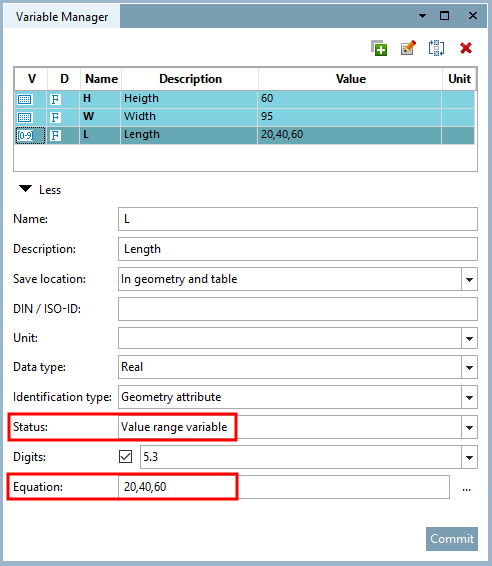
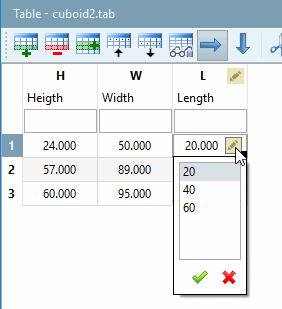
In order for the three list values to be assigned to each of the three rows and so to get nine separate characteristics, do the following:
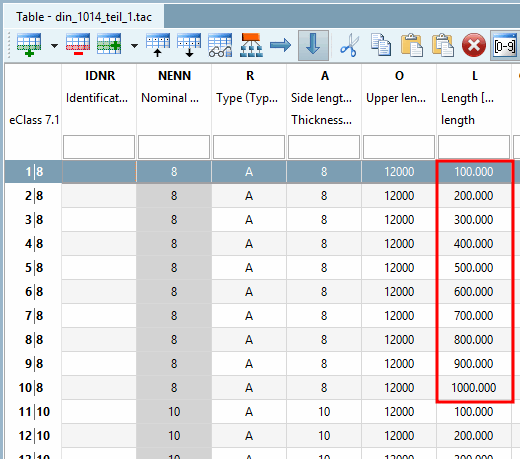
Result: The table with the resolved value range then looks as follows.
!["L" in the variable manager: Now as "Variable with fixed values [Variable with fixed values] "](https://webapi.partcommunity.com/service/help/latest/pages/jp/partsolutions_user/doc/resources/img/img_33d135338d6f4a63a3726b3179fb1bd0.png)
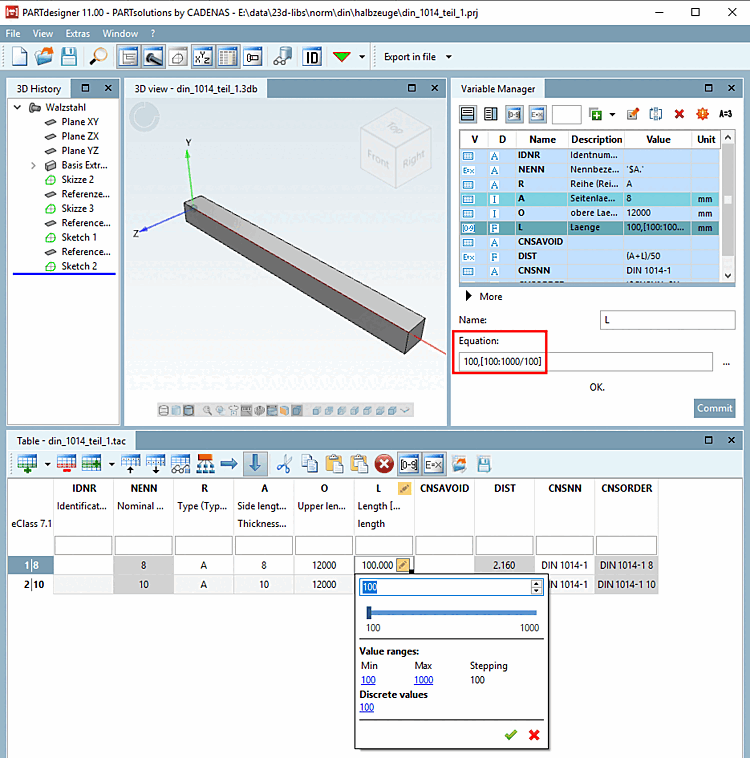
Click on the Expand value ranges [Resolve value ranges] command.
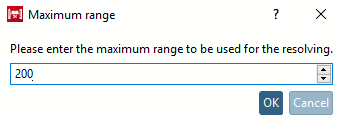
-> The Maximum range dialog box opens.
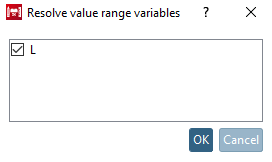
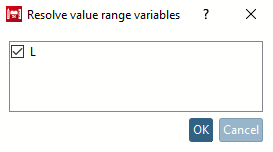
-> The Resolve [Resolve value range variables] value range variables dialog box opens.
Activate the checkbox next to the variables (here only "L") whose value range you want to resolve and confirm with .
Result: Resolving has been processed with the defined step width of 100.
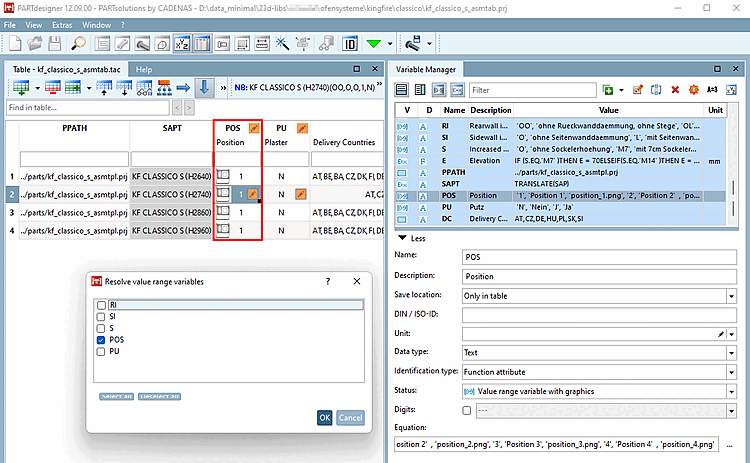
With V12.9 it is now also possible to resolve value range variables with graphics without losing the graphics.
Click in PARTdesigner > Extras menu on the command Resolve value ranges.... [Resolve value ranges...]
Select the desired value range variable (which contains the graphics) and confirm with .
-> The command is executed immediately.
-> In order for the changes to be visible in PARTdesigner, it must be restarted.
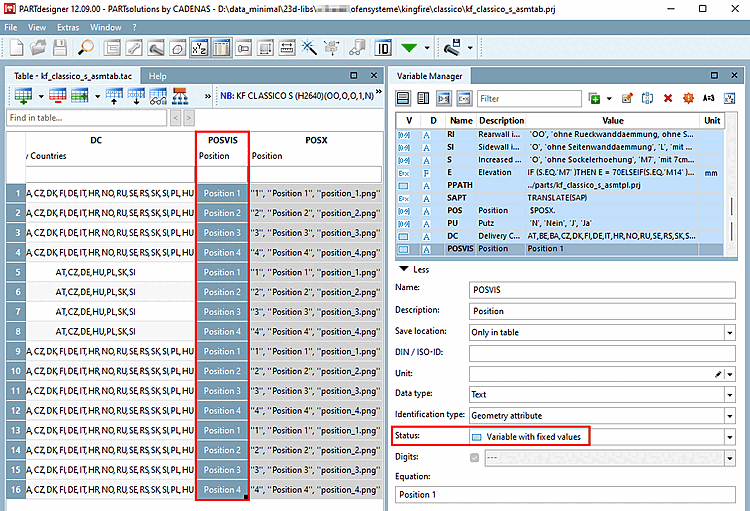
A variable with the name [VARNAME]+"VIS" was created, which contains the visible text from variable [VARNAME].
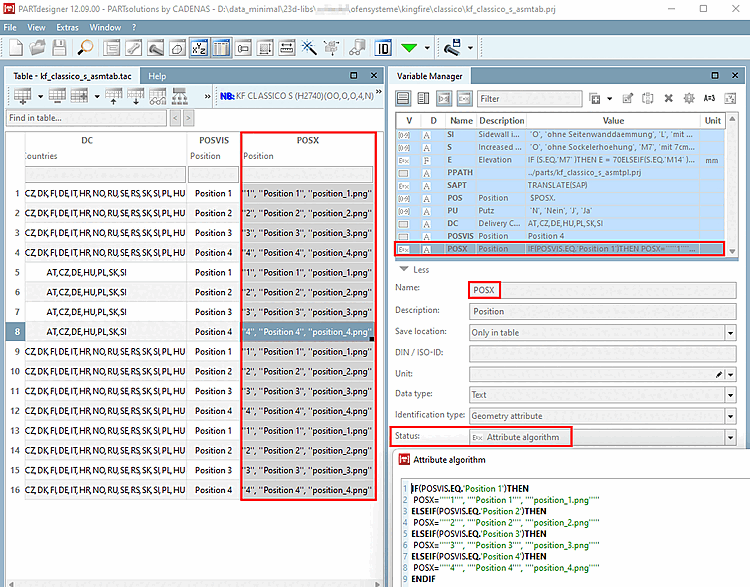
A variable [VARNAME]+"X" was created with a feature algorithm that controls the corresponding image assignment based on the visible text.
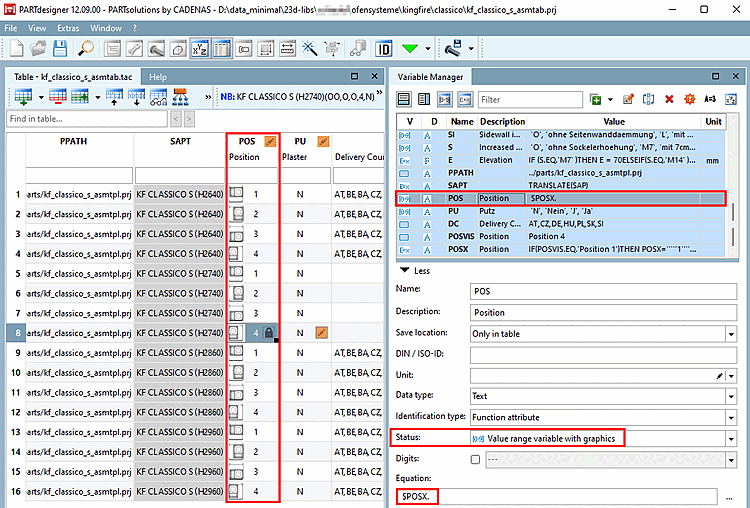
The resolved variable retains the status value range variable with graphics [Value range variable with graphics] to display the corresponding screens in the [VARNAME] column.
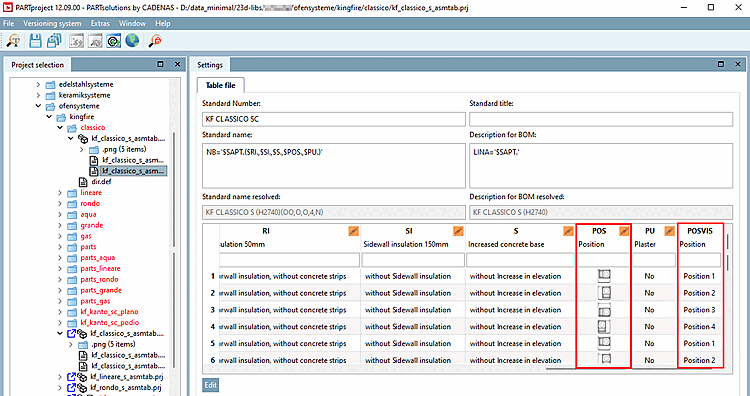
The variables [VARNAME] and [VARNAME] + VIS are also visible in PARTproject.