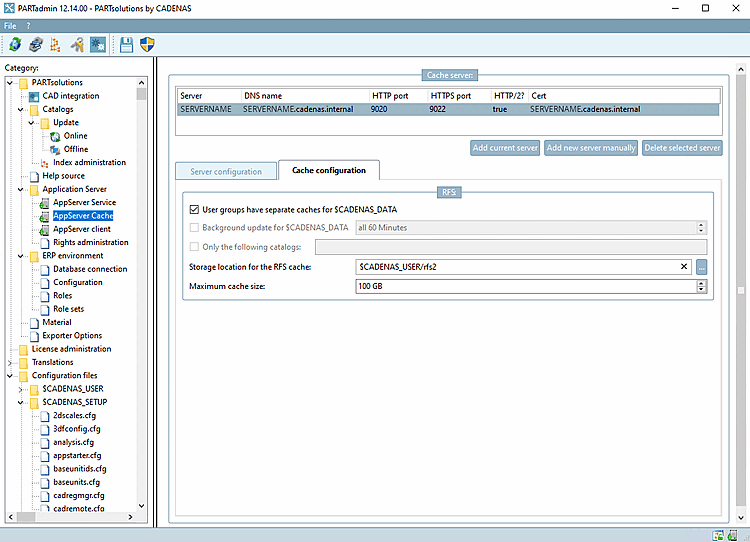
Go to the Cache Tabbed [Cache configuration] page and configure the following settings :
Positions Under Location for the RFS caches [Storage location for the RFS cache] enter the directory for the RFS2 cache (e.g.
D:\platz\rfs2or$CADENAS_USER/rfs2).Under " Maximum Cache Size, [Maximum cache size] " specify the maximum cache size (e.g., 100 GB).
Configure the settings for CADENAS_DATA separation according to your requirements (the option " User groups have separate caches for CADENAS_DATA [User groups have separate caches for $CADENAS_DATA]").
If necessary, enable background refreshing for $CADENAS_DATA [Background update for $CADENAS_DATA] and, under " Only the following catalogs," specify the catalogs that are to be preloaded (warmed up) in the background.