
1.4.5. PARTapplicationServer
installation/configuration 1.4.5.7.
Set up PARTapplicationServer as a service
|  |
| Prev | Next |
Whenever a central PARTapplicationServer is in use, it should be started as a service.
Once the setup has been completed and the license has been activated, go to "install/script/appserver_service_activate.bat".
Advantage is that the service is automatically started at start of the server and Windows mechanisms for monitoring the stability (e.g. restart at crashes) are used. (Restart delay can be adjusted via registry.)
Once the installation is complete, the service CADENASPARTapplication SERVER V12 (PAPPSERVER) is displayed under Windows -> Control Panel -> Administration-> Services.
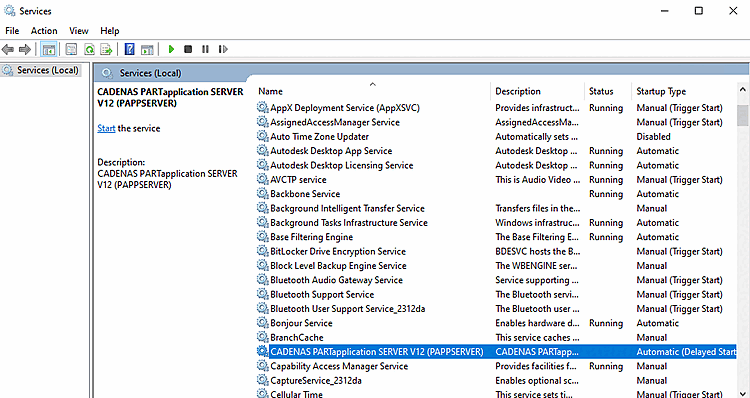
The installer creates a UNC path for the AppServer service. However, this may not yet be available when the service is started.
Furthermore UNC paths are slower than shares and local installation paths.