

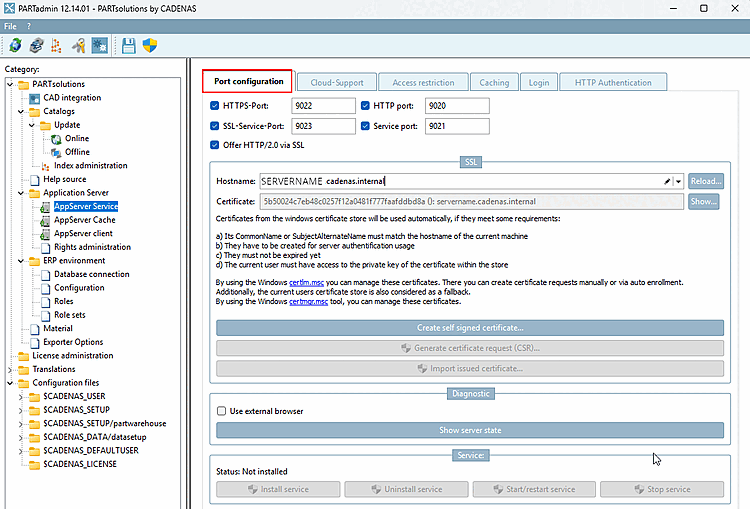
Communication between the client and the server can be encrypted and/or unencrypted (usually one or the other). Select the mode by checking the appropriate checkboxes.
The HTTP port [HTTP port] and service port [Service port] are the default ports without SSL encryption.
Use the HTTPS port [HTTPS-Port] and SSL service port [SSL-Service-Port] for SSL encryption.
For detailed information on SSL encryption, visit Section 1.4.5.9.1.6, “SSL encryption ”.
Offering HTTP/2.0 over SSL [Offer HTTP/2.0 via SSL]:
The PARTapplicationServer supports the HTTP/2 protocol—encrypted via SSL/TLS (negotiated via ALPN) and unencrypted (h2c). Web applications such as the dashboard benefit from this in particular: Multiple requests are bundled into a single connection, reducing wait times.
