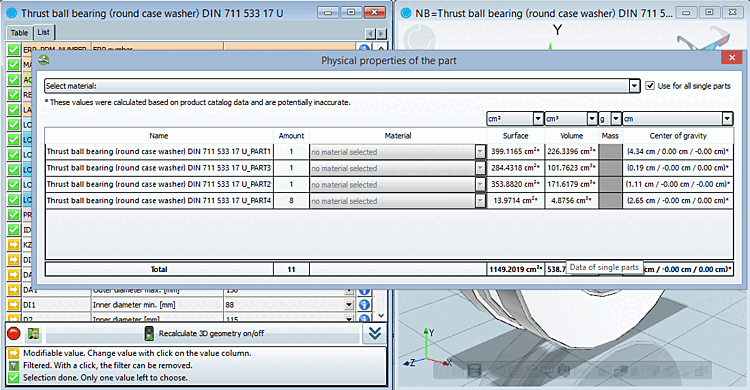
You can use this command to view physical data on the respective part and calculate the volume and center of mass. You can set the desired unit [Unit] using the list fields for surface area [Surface], volume [Volume], weight [Weight] and center of mass [Center of gravity].
Material: Either use the list field
above or activate the Use for all individual parts [Use for all single parts] checkbox and assign the material for each component separately in the corresponding list fields of the individual components.
|
|



![[Note]](https://webapi.partcommunity.com/service/help/latest/pages/jp/installation_ecatalogsolutions/doc/images/note.png)
