
1.7.3.7.3. Block
[SettingsSearch] - Main settings for searching 1.7.3.7.3.1.
Key "ShowWishCatalogs" - Show/hide button " Wish catalogs..."
|  |
| Prev | Next |
If searches are not successful, the dialog area Search result displays the button  button is displayed.

Furthermore the button appears at the end of the list of search results.
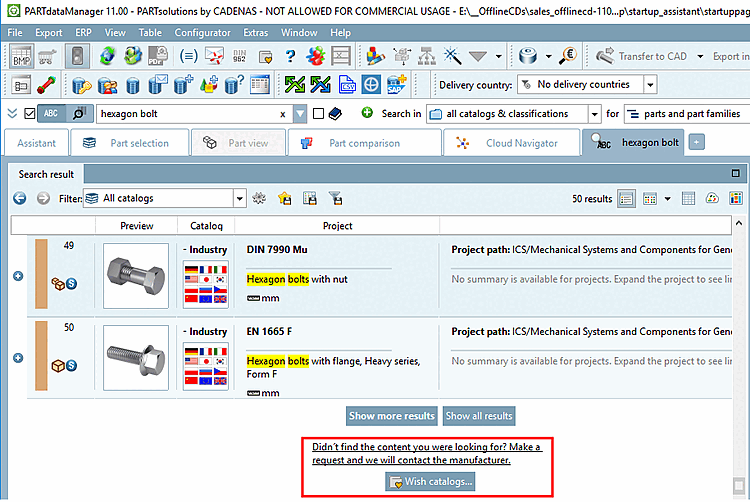
After clicking on the button
button, the corresponding website is displayed in the Assistant docking window, where you can request your desired catalog with specific details.

Here, a respective page is opened in the browser.
The feature can be activated (YES [Default]) and deactivated (NO) in the configuration file psolopt.cfg in the block [SettingsSearch], key ShowWishCatalogs.