Define yourself which functions are linked with which mouse movements and optionally with which key combination.
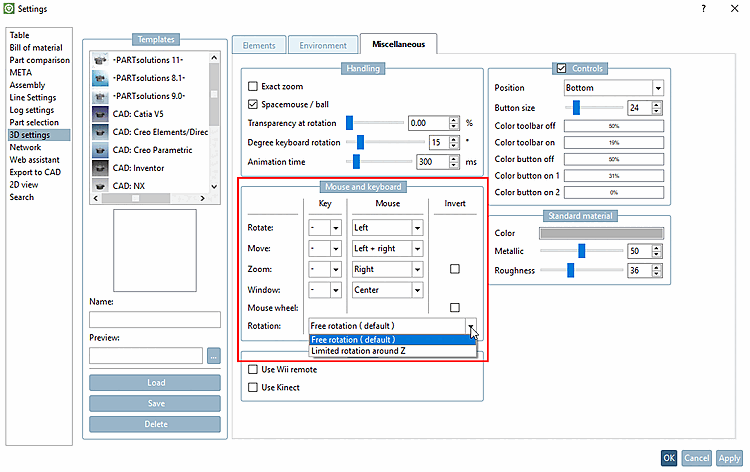
Rotate, move [Move], zoom [Zoom]:
In the list boxes, select which mouse button you would like to use for rotating [Rotate], moving [Move] and zooming [Zoom].
In the list field under Key, you can optionally combine the mouse action with a key (Alt, Shift, CTRL). If not desired, leave"-".
Move the mouse upwards to enlarge.
Mouse movement downwards reduces the size.
If you activate inversion [Invert], it is the other way round.
Mouse wheel: (click, drag, release)
Use the mouse wheel [Mouse wheel] to zoom in and out, and turn it down to zoom out. If you activate Reverse [Invert], it is the other way round.