会社案内及び グループ企業の案内等
部品メーカー向け次世代型3Dビジュアル検索エンジン
製品及びソリューションのサポートページへはこちらから
facebookやtwitterソーシャルメディア等
製品・サービスについてのお問合せは こちらから
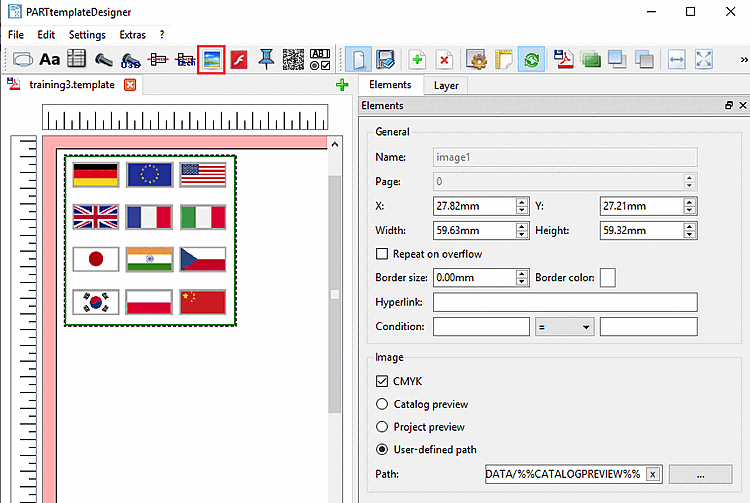
In this section you can find details on the setting options of Image .
General: See Section 10.4.2, “General settings”.
Image:
CMYK:
Mask transparency:
Result in datasheet with enabled option
Result in datasheet with disabled option
Catalog preview:
Project preview:
User-defined path:
Directory:
After dragging out the image area with the cursor, for a start the standard catalog bmp-image is loaded by default.
You can set the path to the desired image via search button ....
Allowed image formats are PNG, JPG, TIFF and BMP.
(Images can also be inserted via clipboard.)