
 |
In PARTdataManager, you can find the function Create analysis... (Make or Buy, Cost mockup, Suppliers [see Section 3.1.14, “ Analysis ” in PARTsolutions - User manual]).
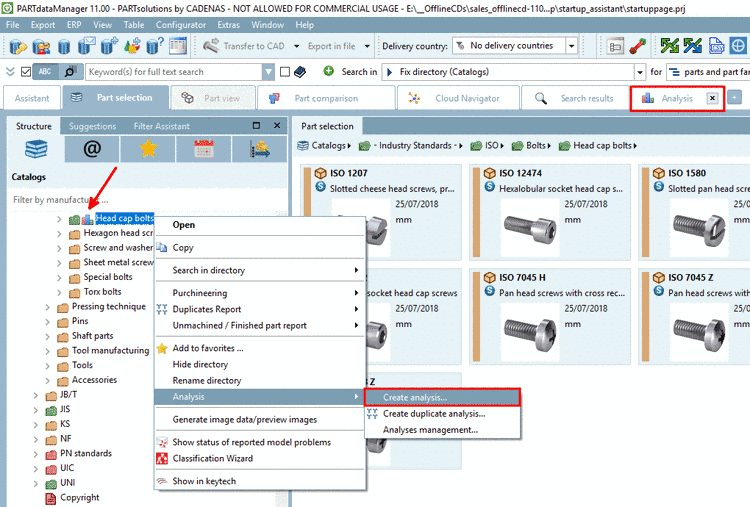
Rights for using the function Create analysis... are controlled in PARTadmin -> category AppServer Service -> tabbed page Assign rights and can be adjusted there.

Default profile is Analysis user with following rights.
Can create, cancel and delete his own, and view all analyses.
If a user shall not have these rights, disable the respective checkbox. Then following error message will appear when starting an analysis.
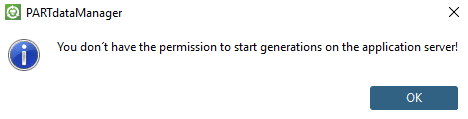
The control via
configuration file reports.cfg -> block [Common] -> key ReportsVisibleForAllUsers is
obsolete as of V11 SP5. Value "YES" enabled visibility of reports for all
users.
Details on rights management can be found under AppServer Service: Authentifizierung - Rechtezuordnung - Rechte.