
 |
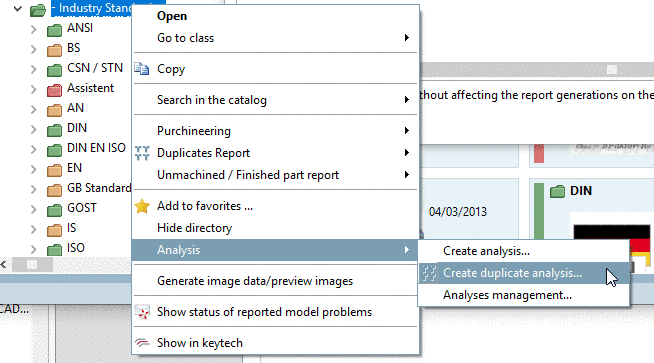
In the course of quality management it is checked whether different parts have the same Order number. As of V11 SP8 this process can now simply be performed.
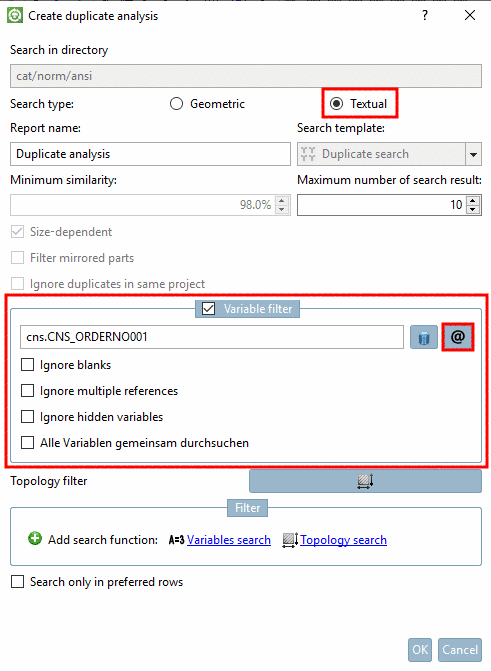


It's also possible to select several attributes. If, for example, both Order number and Type code is inconsistently set, nonetheless a duplicate suggestion is given, if the same value is found either under order number or under type code. Then for this the option Search variables all together has to be activated in addition.
Details on this can be found under Section 3.1.14.2, “ Duplicate Analysis ” in PARTsolutions - User manual.