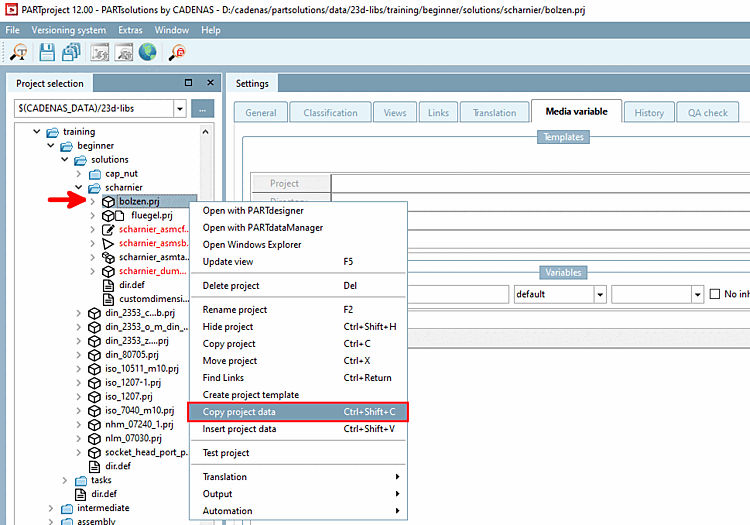
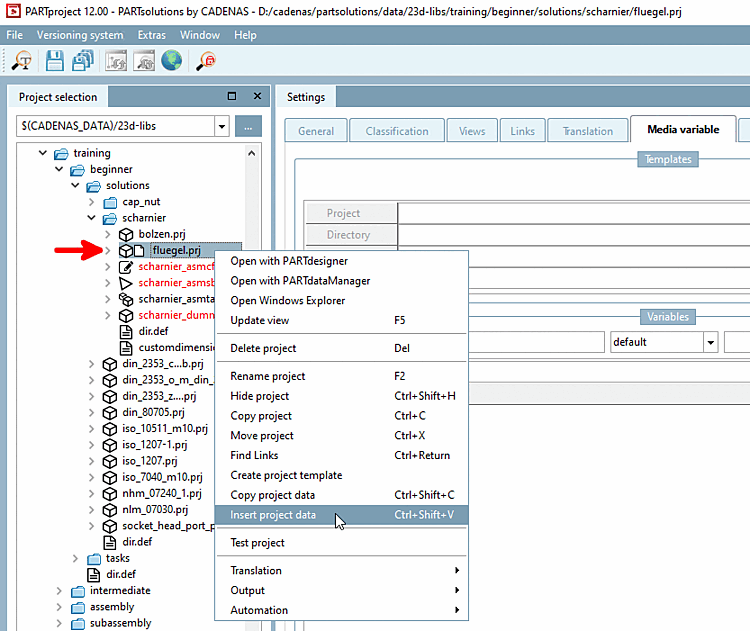
Using the context menu command Copy project data, project data can be easily copied and pasted into other projects and directories (e.g. also in the catalog root directory).
Example: The variables "$Variable_Headline." and "$Value_Headline." were created in the PARTtemplateDesigner and therefore only refer to the test object specified there. However, the template should apply to all catalog projects.

Select the project that contains the desired data and call up the context menu command Copy project data.
Activate the Media Variable option to copy all existing variables or activate one or more variables individually.
Select the project or directory (also catalog root directory), where you want to insert the data.
Call up the context menu and click Insert project data.