
 |
Sweep is the transition between two sketches on parallel planes and the same number of sketch elements.
Up to now designing with the Sweep function
was only possible following customer requests and after activation of the
respective option in the configuration file pdesigner3d.cfg.
Now with V10 Sweep is released as standard.
In part EN 10253 for example, the sweep function is used.

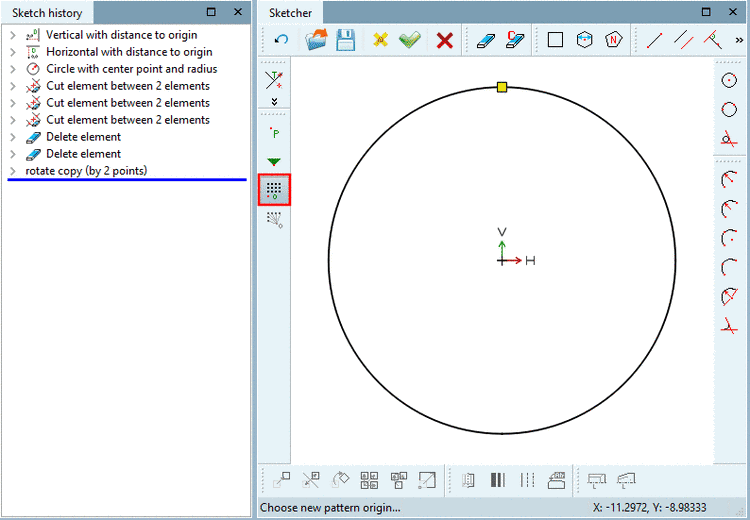
In the above example, on sketch 1, a circle and a Pattern origin are created.
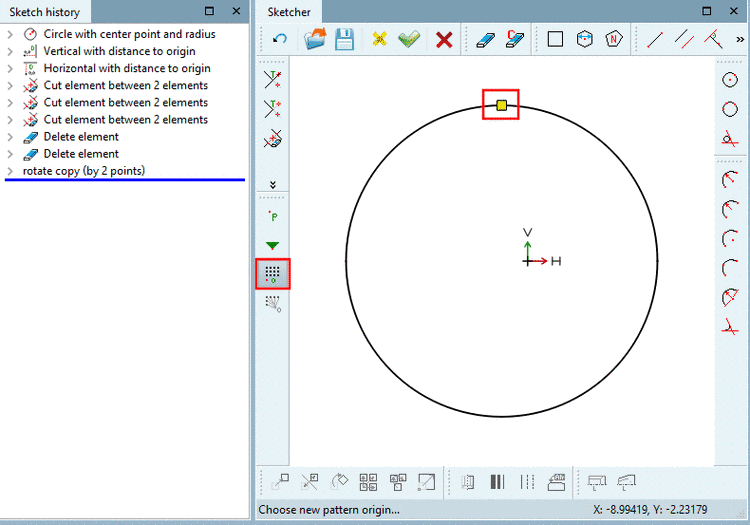
On a parallel reference plane, on sketch 2 another circle, again with Pattern origin is created, however this time a little bit smaller and shifted in relation to the first circle.
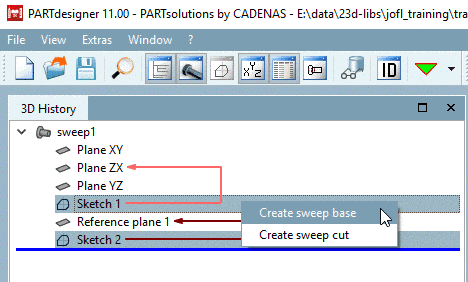
If you mark both sketches in the History, then in the context menu, the commands Create sweep base and Create sweep cut are displayed.
You can find a detailed description on this under Section 7.6.2.7, “ Sweep base / Sweep cut ” in eCATALOGsolutions Manual.