

As soon as you click in the QA Check Settings dialog, the selected test criteria are applied and the test run is started.
![[Note]](https://webapi.partcommunity.com/service/help/latest/pages/jp/installation_ecatalogsolutions/doc/images/note.png) | Note |
|---|---|
The test run of extensive directories may take several hours. It is recommended to test either overnight or on a separate computer. The function allows you to cancel, but unlike the function, you do not lose any results determined up to that point. See below for details. | |
When the TestMeta run begins, a) the selected directory/project is blocked and appears grayed out. However, you can continue working on other projects.
![Docking window "Project selection [Project selection] ": Directory "bosses" blocked](https://webapi.partcommunity.com/service/help/latest/pages/jp/installation_ecatalogsolutions/doc/resources/img/img_cf8c9b2509c040b6b9eb0fd40f7bbad5.png)
And b) the QA check docking window is opened.
![Docking window "QA check [QA-Check] "](https://webapi.partcommunity.com/service/help/latest/pages/jp/installation_ecatalogsolutions/doc/resources/img/img_78f2d48281fe4b438a8d9f97b8b7e0a8.png)
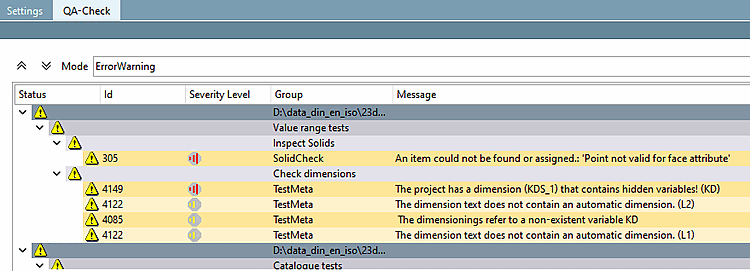
You can use the options in the "Mode [Mode] " list field to filter results during the run, but also after the run has been completed.
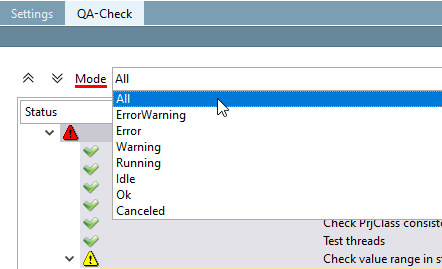
The following options are available:
 Error -> Make the necessary corrections.
 Running: Shows which projects are currently being processed.
 Idle: When testing the entire catalog or directories, some projects are in the queue. This setting allows you to see what still needs to be tested.
 Canceled: The filter allows you to quickly see whether a project has been canceled or not. You can also see in which test segment (e.g. Project Tests [Project tests] | Catalog Tests [Catalog tests] | Value Range Tests [Value range tests] | Table Tests [Tables tests] ) a project was canceled.
There may be undiscovered bugs and the project in question is not being considered for a QA status change.




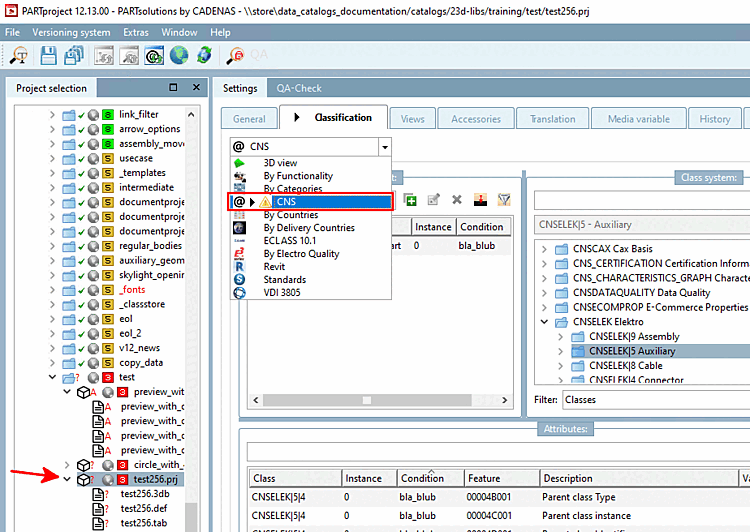
If classifications contain an error in the condition [Condition], this is immediately recognizable by a yellow warning triangle:
With the affected project selected on the Classification tabbed page, in the list field of the installed classifications
With the affected project selected on the Classification tabbed page, in the Project dialog area
You can find detailed information in the tooltip of the icon.
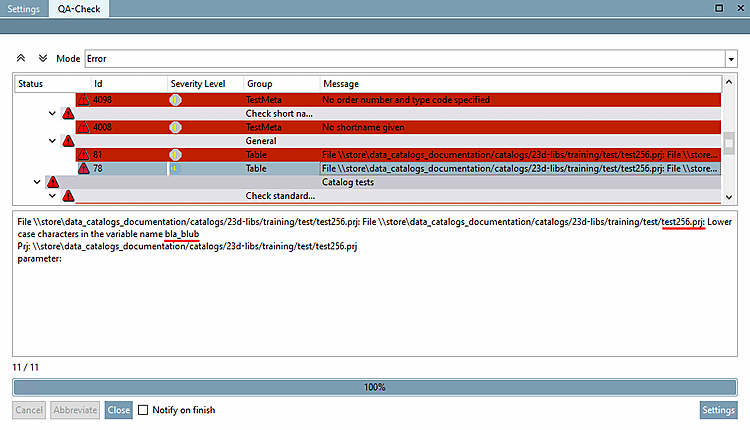
During a test meta run, the error appears with information on the affected project.

Cancellation of test meta regardless of the current status. No results are transmitted to PARTproject. The old status remains unchanged.
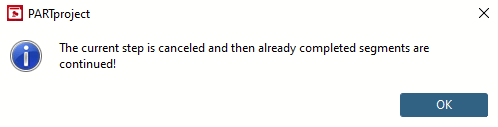
The following message appears when you click on the button:
The current step is canceled and then already completed segments are continued!
Projects are tested in the segments Project tests (e.g. "Check file names", "Check images"), Table tests [Tables tests], Value range tests (e.g. "Check short description", "Check volume body") and Catalog tests: (e.g. check standard description for duplicates, file names, license keys).

Projects that have been started but not completed in any segment are canceled, i.e. they remain in their original state as they were when they were .
Finished projects from the previous section will be continued in the next section and run through all sections (assemblies only continue, if all single parts continue).
The results of all projects (finished and canceled) are transferred to PARTproject.
can also be used several times.
To start another TestMeta run, the QA-Check docking window must be closed. Click on .