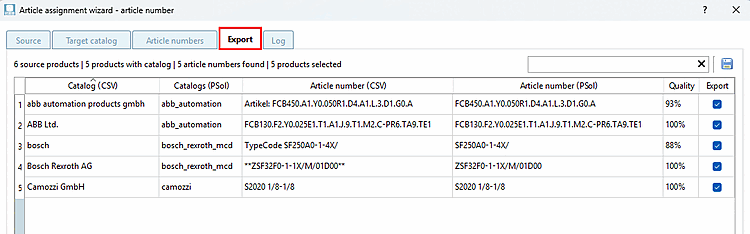
Export the results to the PARTdataCenter database (create ProductLink).
The table provides an overview of the products that can be exported.
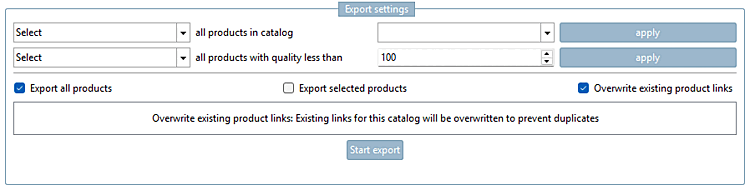
Select List Fields: Allow you to select or deselect multiple rows at once by specifying a catalog or a quality threshold to select or deselect products.
Export all products [Export all products]: When enabled, all products displayed in the table are exported.
Export selected products [Export selected products]: Exports only the products selected in the table (checkboxes in the Export column)
Overwrite existing product links [Overwrite existing product links]: If this option is enabled, an existing product link is replaced with a new one; otherwise, a new product link is created in addition to the existing one.
The " " button starts the actual export process and creates the product links.