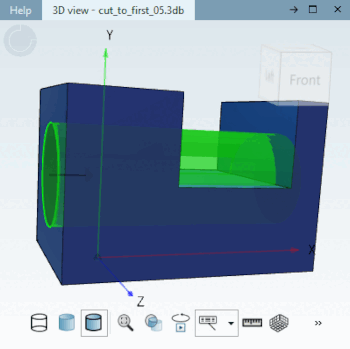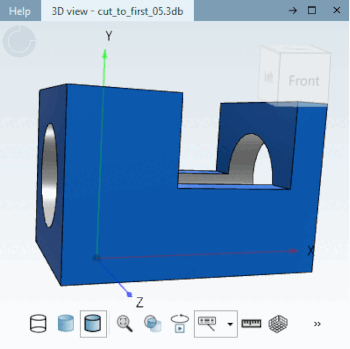
Extrude until the first face is fully filled . [Extrude up to the first fully hit surface.]
The sketch is extruded normally toward the sketch plane until it first comes into full contact with a face or connected faces.
The extruded sketch must fully intersect a face; otherwise, an error will occur.
If the sketch intersects a face only partially, the extrusion continues until a face is intersected completely for the first time.
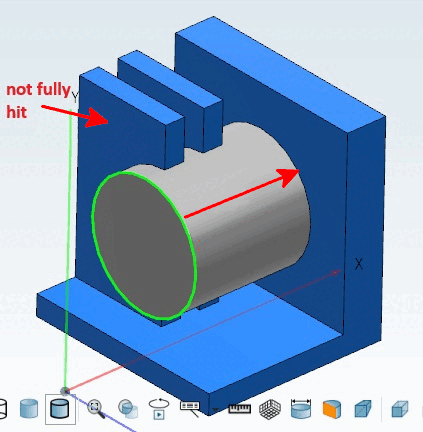
Example: The first two faces were only partially intersected; therefore, the extrusion continues. The rear face is completely intersected.
The area in question may consist of multiple areas, but these must be contiguous (adjacent areas).
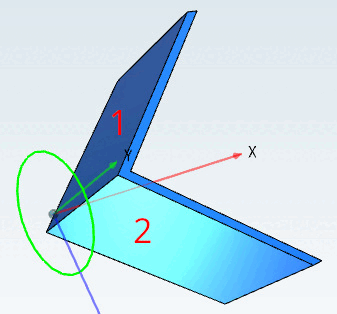
Example using the Extrude tool:
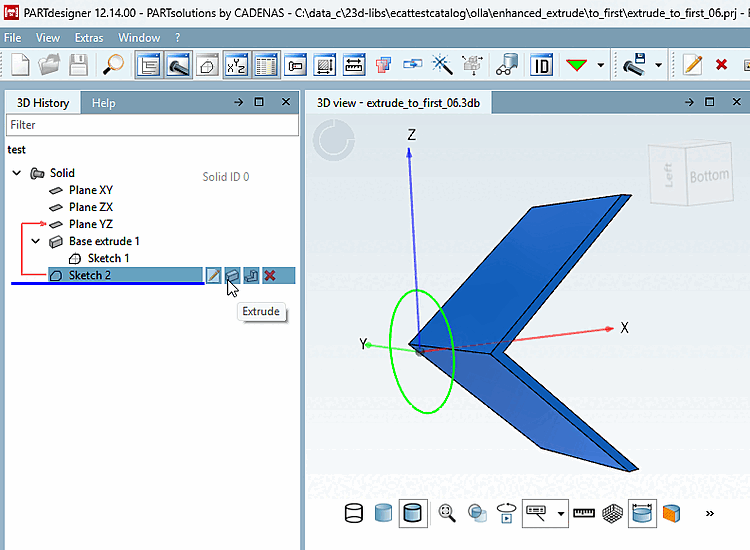
![Using the "Until First [To first]" method, connected areas are also included.](https://webapi.partcommunity.com/service/help/latest/pages/jp/ecatalogsolutions/doc/resources/img/img_f3e6b6dcef2c471790a3333f5c32860f.png)
![[Note]](https://webapi.partcommunity.com/service/help/latest/pages/jp/ecatalogsolutions/doc/images/note.png) | Note |
|---|---|
With the "Bis erste [To first]" method, you cannot extrude in both directions. To do this, you need a second sketch.
| |
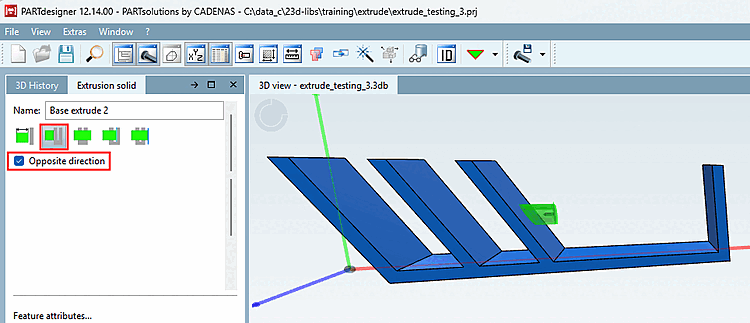
The two inner surfaces are not fully cut, so the cut is made all the way to the rear surface.