
5.24.3.8. CAD Client Configuration 5.24.3.8.2. Controlling the Visibility of Features (Buttons) |  |
| Prev | Next |
In
of the CAD-specific configuration file if<cadname>.cfg can be found in the
Block [ UI] of the keys MN_valid. The keys MN_show and MN_hide can be added if
the possible functions are to be restricted.
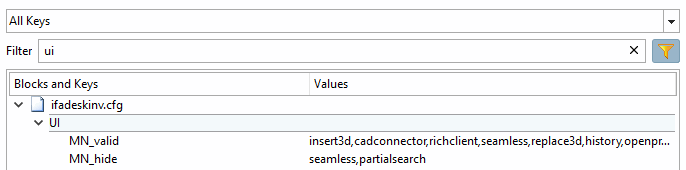
For more information, see Section 3.2.3, “Control visibility of functions (buttons)”.