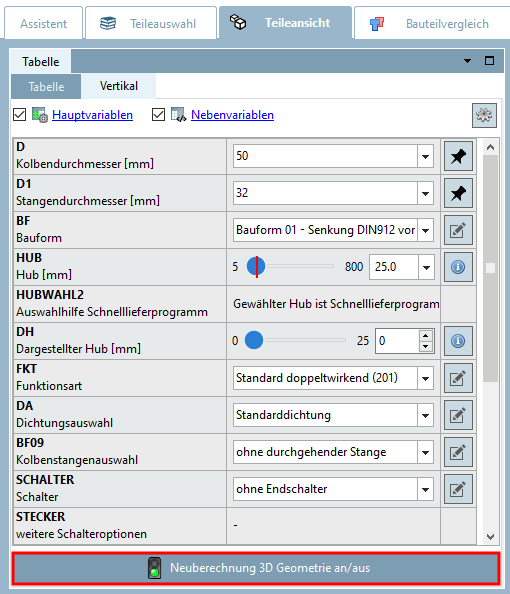
Each time a table value is changed, the 3D view is recalculated. Depending on the component size, this may take a moment.
If you want to change several values, you can work more quickly if you temporarily deactivate the recalculation using Automatic recalculation on/off [Automatic recalc on/off].
You will find the button both in the View menu [View] and in the standard toolbar.
![View menu: -> Recalculate automatically [Recalc automatically]](https://webapi.partcommunity.com/service/help/latest/pages/jp/ecatalogsolutions/doc/resources/img/img_5cd37f29bb774a59b46bc6b56f8322aa.png)
![Standard toolbar -> Automatic recalculation on/off [Automatic recalc on/off]](https://webapi.partcommunity.com/service/help/latest/pages/jp/ecatalogsolutions/doc/resources/img/img_5108ad9f1551419d868f8e1134c62425.png)
Furthermore you can find a respective button in the vertical table view.