| Note |
|---|---|
The installation of the JSP files is a prerequisite for using Additional Tasks . See also Section 4.3.1.5.2.2, “Additional Tasks ”. | |
Take the standard JSP files from your installed version of PSOL and copy them to the Windchill server.
$CADENAS\iface\plm\pdmlink\JSP\Standard JSPs
The required JSPs must be stored in the customer's Windchill system. Usually, the customer places them in a subfolder of the Directory
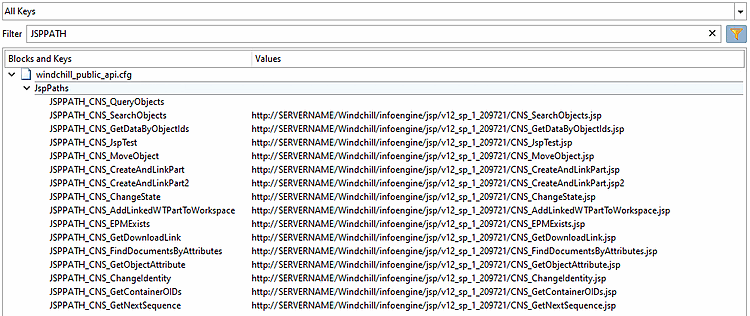
<WindchillInstallDirectory>\Windchill\codebase\infoengine\jsp.Then, for each JSP, the URL via which the the respective JSP is called, in the configuration file
<windchill_public_api.cfg>,in the section[JspPaths]. Usually, the URL the following format:http://<WindchillServer>/Windchill/infoengine/jsp/<Unterverzeichnisstruktur>/<JSPDateiname>
If the customer stores the JSPs in a different location, they must provide the URL.
Not all JSPs are always needed (see the description of the respective JSP).
For access to the JSPs will be login data (user, password) required. Depending on the use, they can be stored in the configuration files
ifproepdmlink.cfgorpdmProxies.cfg.