4.3.3.1.2. Determine Object/Reference Names

[Note]Note

Whenever you make a change, be sure to specify which object or reference the change applies to .

To do this, you need to know the internal name.

Example: For the additional task "Change Ownership," you must specify the path to the relevant object:

TC_HookService_ChangeOwnership_Objects_00=Item{ModelObject}>>revision_list{ModelObjectVector}
>>IMAN_specification{ModelObjectVector}

Example:

[Note]Note

There are various methods for determining the internal name. Ideally, the customer provides this information. An example is shown below.

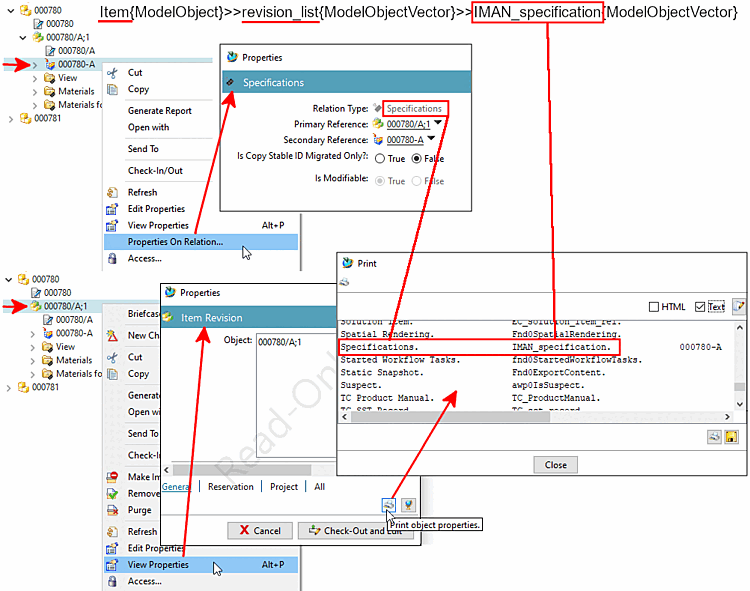
In this example, we will determine the internal name ( Real Name ) of the dataset UGMASTER -> IMAN_specification.

Item{ModelObject}>>revision_list{ModelObjectVector}>>IMAN_specification{ModelObjectVector}

  1. Select a dataset UGMASTER.

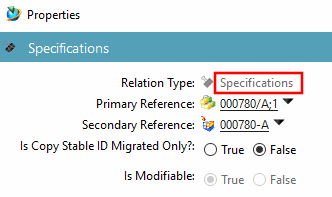
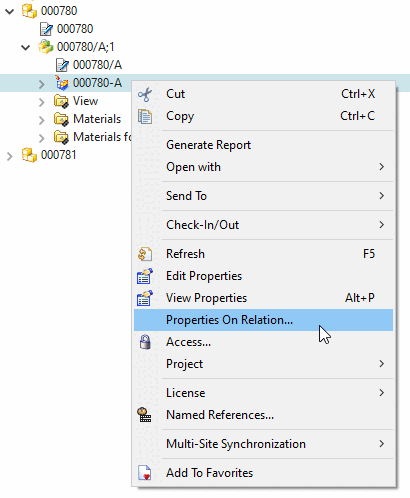
  2. Select the context menu command " Properties On Relation... "

    Properties On Relation...

    Properties On Relation...

    -> The Properties -> Specifications dialog box opens.

    Properties -> Specifications

    Properties -> Specifications

    Make a note of the relation type "Specifications."

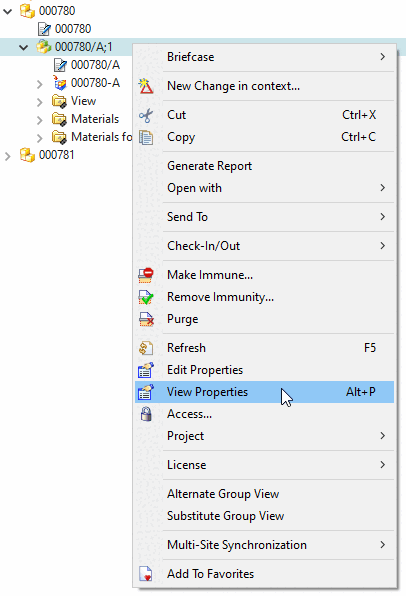
  3. Now select the parent item revision.

  4. Select the " View Properties " context menu command.

    View Properties

    View Properties

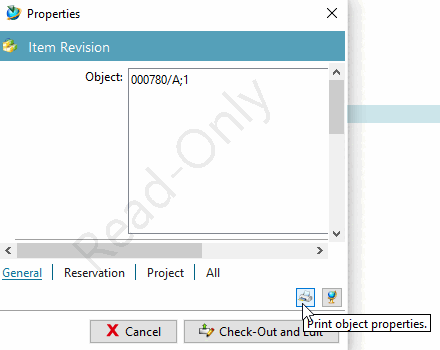
    -> The Properties -> Item Revision dialog box opens.

    Properties -> Item Revision

    Properties -> Item Revision

  5. Click the " Print object properties" button.

    -> The Print dialog box opens.

  6. Read the actual name of " Specifications." It is IMAN_specification.
    If the real name is not displayed, enable the display.

IMAN_specification

IMAN_specification