4.3.3.2. General
configuration (for Teamcenter-CAD combinations) 4.3.3.2.1. Add PSOL queries
to TC |  |
| Prev | Next |

3Dfindit sends queries to Teamcenter, for example, to retrieve a part from the PDM.
These queries are processed by Teamcenter using scripts. These scripts must be stored on the Teamcenter server.
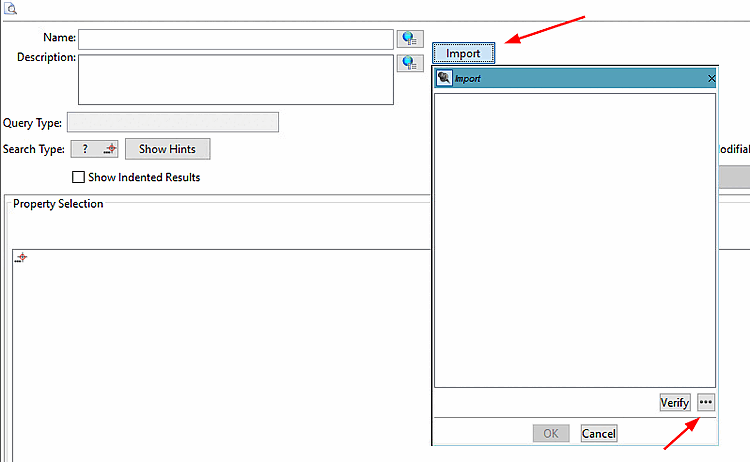
Import all standard scripts from CADENAS.
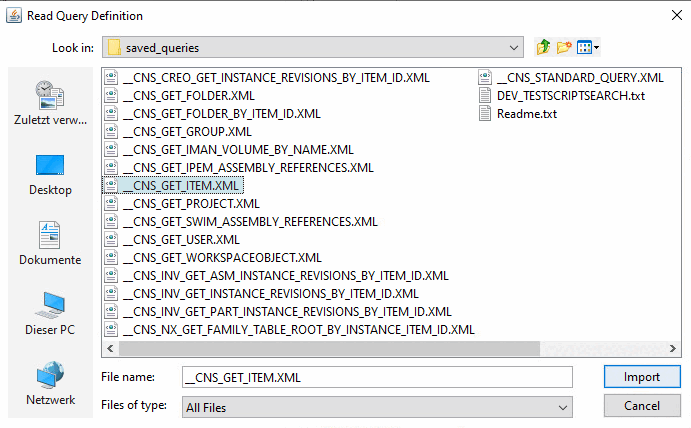
Click and use to select a file.
All Query scripts can be found in the 3Dfindit directory "software":
$CADENAS\iface\plm\teamcenter\saved_queries\Select the desired file and click .
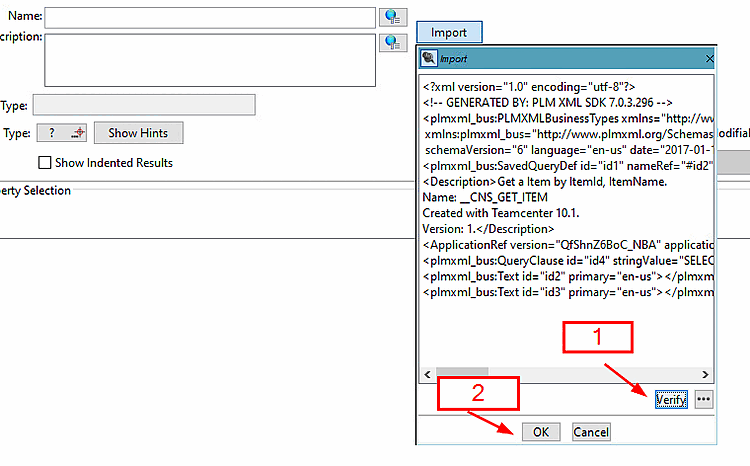
Check the script using (1) and click (2).
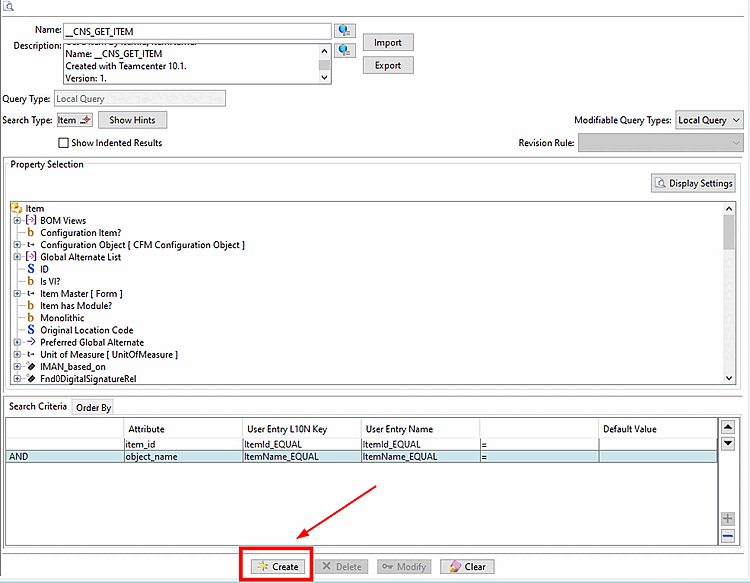
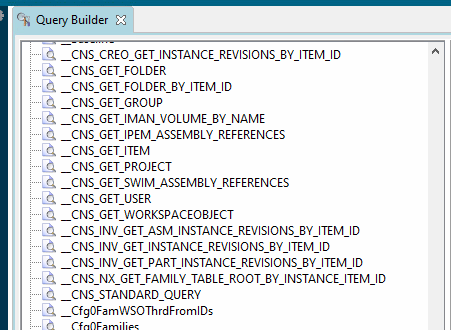
Click . The script is inserted into Teamcenter's "Query Builder."