Polygon
Insert [Insert polygon]
Polygon
Insert [Insert polygon]
![[Note]](https://webapi.partcommunity.com/service/help/latest/pages/jp/ecatalogsolutions/doc/images/note.png) | Note |
|---|---|
This feature is only officially available for future versions and is only an internal test version with V12.13 and is therefore hidden by default. | |
Create a polygon via a reference point [Reference point] or via a formula point [Formula point].
To create a polygon, proceed as follows:
With the first click, you can determine the center point [Center point] by clicking on a reference point [Reference point] or a freely selected formula point [Formula point].
With the second click, you first determine the angle and the location of one of the corners. Both specifications can be changed for formula points in the Edit element dialog box.
A corner of the polygon will lie at the position of the mouse pointer and thus determine the start angle [Start angle] (which you can change later in the Edit element dialog). If the point is horizontal, the start angle [Start angle] is 0°.
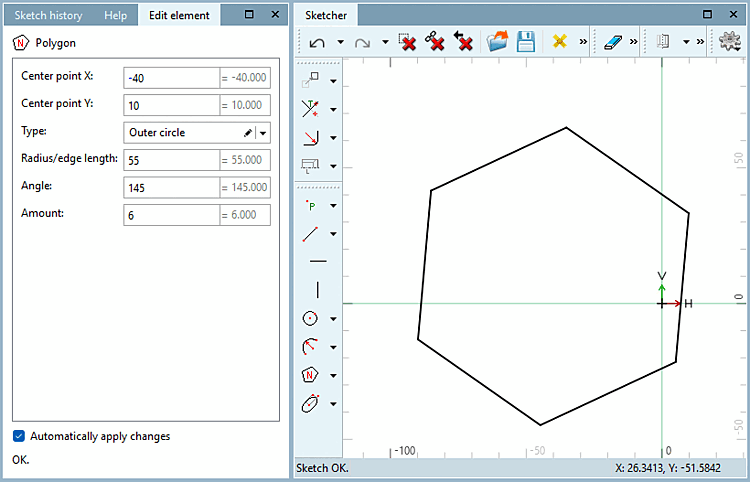
Change the Type, Radius/edge length, Angle and Quantity [Amount] as well as the Center point X and Center point Y for formula points as required.
![Snap onto the grid [Snap to grid]](https://webapi.partcommunity.com/service/help/latest/pages/jp/ecatalogsolutions/doc/resources/img/img_55777b1ea4c14f29a2a22a64bb6024f8.png)
!["Scalar Parameters [Scalar parameters]" Enabled](https://webapi.partcommunity.com/service/help/latest/pages/jp/ecatalogsolutions/doc/resources/img/img_7588406af68c4a46b11313289b6b88da.png)
The function has two different versions, depending on whether a reference point [Reference point] or formula point [Formula point] was used to create the polygon.
The polygon was created with formula points.
→ Angle and radius are defined as values.
→ The Type drop-down menu can be used to specify whether the size of the polygon is defined by the inner radius, the outer radius or the edge length.
→ The Radius/edge length field defines the radius or the edge length, depending on the selected type.
→ The Number [Amount] field defines the number of edges. At least 3 are required, otherwise no polygon can be created.
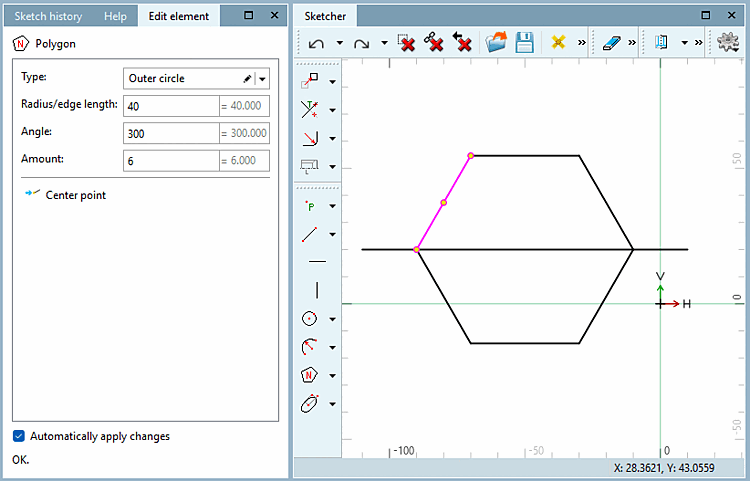
The polygon was created with a reference point as a radius / angle specification
→ Angle and radius are defined by a point, they cannot be defined by a value.
→ If the referenced point changes, the changes also affect the polygon.
→ The type [Type] is limited to inner radius and outer radius. Edge length is not possible for references.
→ If the center point is a reference point and the radius / angle specification is a formula point, the inner radius, outer radius and edge length can be selected for the type [Type].