
1.7.5.15.4.
Block [PARTdataManager] - Global settings
for PARTdataManager 1.7.5.15.4.14.
Keys
"PARTSELECTION_SHOW_..." / "PARTSELECTION_..._AS_TAB" - Show/hide entries in the
"Structure" section or move them to their own tab |  |
| Prev | Next |
You can show or hide entries in the Structure section or move them to their own tab:
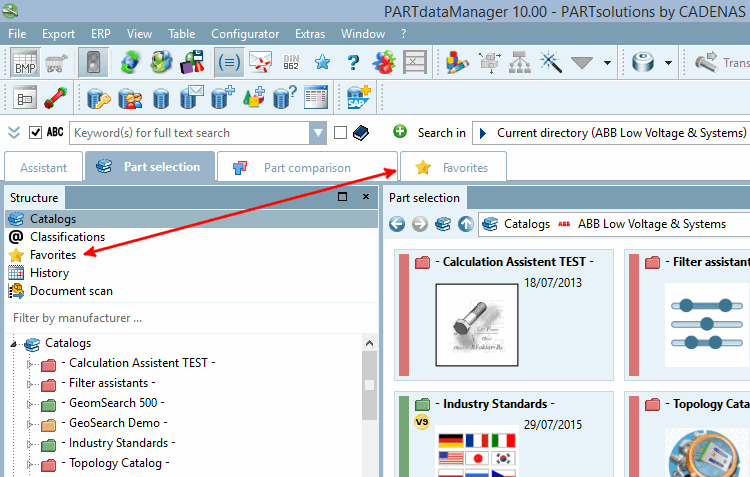
Enable/disable individual entries in the " Structure " section:
Alternatively, you can deactivate individual entries in the Structure section and activate them as tabs:
To hide only the " Favorites " entry in the Structure section:
[PARTdataManager]
PARTSELECTION_SHOW_FAVORITES=FALSE
Entry Hide favorites in the Structure section, but display them in a separate tab
[PARTdataManager]
PARTSELECTION_SHOW_FAVORITES=FALSE
UND
[PARTdataManager]
PARTSELECTION_FAVORITES_AS_TAB=TRUE
