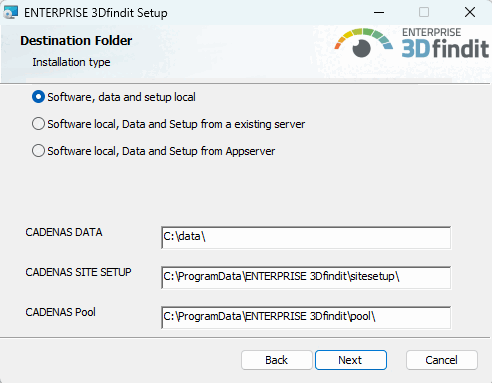
For a single-user installation that uses 3Dfindit / PARTdataManager as the user interface, select the following in the installation wizard under Destination Folder > Installation Method [Installation method], select the option " Software, Data, and Setup Locally [Software, data and setup locally] " and adjust the paths for CADENAS DATA, CADENAS SITESETUP, and CADENAS Pool as desired .
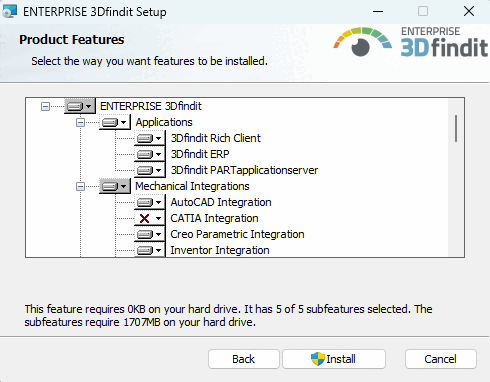
Select the 3Dfindit Rich Client package (which also includes 3Dfindit ERP and 3Dfindit PARTapplicationserver ). This will install all applications (3Dfindit, PARTdataManager, PARTadmin, PARTlinkManager, PARTdataCenter, etc.). If ERP is required, it is still best to select the 3Dfindit ERP optionin order to cover all eventualities.
Furthermore select the desired integration(s).