
5.9.2.12.2. Set End of Life phases
5.9.2.12.2.2. Display of texts in tooltips and dialogs in 3Dfindit or PARTdataManager |  |
| Prev | Next |
Setting up EOL phases has no effect on the display of icons.
Texts, both in tooltips and in dialogs, are displayed according to the respective active EOL phase(s). This can also lead to time overlaps and multiple displays.
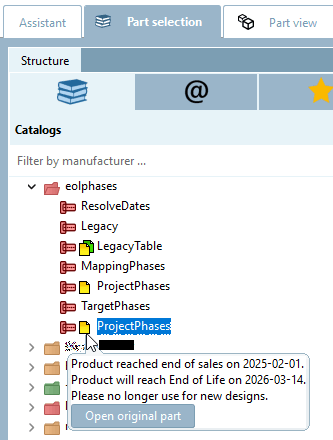
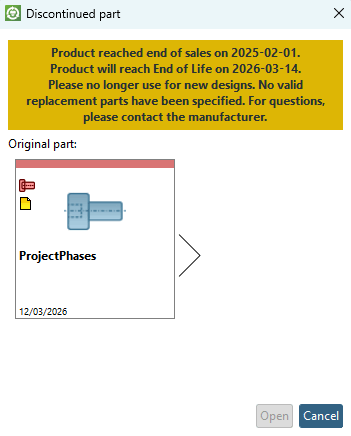
Example: The texts in the above illustrations correspond to this setting:
      {
        "state": "eos",             End of Sales
        "date": "01.02.2025",
        "notify": 11
      },
      {
        "state": "eol",             End of Life
        "date": "14.03.2026",
        "notify": 14
      }
The
different texts are eol.cfg set in the configuration file. See ???.