

Under certain circumstances, problems may occur when PARTdataManager, PARTadmin > Index Management (Client), or 3Dfindit log in to the AppServer.[93]
This can happen if the AppServer was set up with the Local System account and that account does not have sufficient permissions. In this case, switch to a service user if necessary.
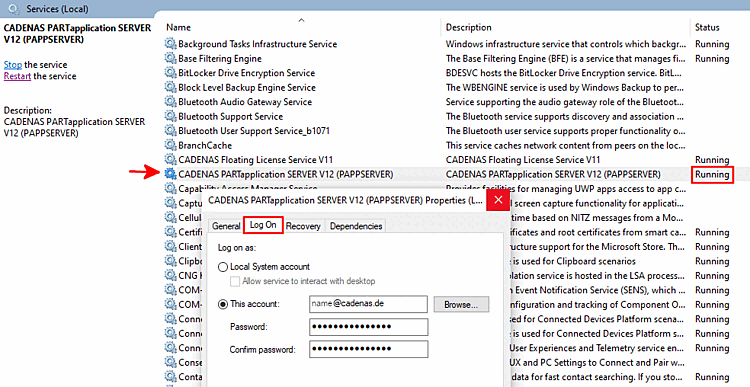
Please note, however, that in this case, additional ServicePrincipalName entries in Active Directory are required for the service user. The following sample commands must be executed on the customer's side by the domain administrator:
setspn -U -S http/myhostname DOMAIN\myserviceuser
setspn -U -S http/myhostname.my.domain.local DOMAIN\myserviceuser
setspn -U -S http/myhostname:9022 DOMAIN\myserviceuser
setspn -U -S http/myhostname.my.domain.local:9022 DOMAIN\myserviceuser
setspn -U -S http/myhostname:9023 DOMAIN\myserviceuser
setspn -U -S http/myhostname.my.domain.local:9023 DOMAIN\myserviceuser
To check whether the SPNs are present, follow these steps:
setspn -L DOMAIN\myserviceuser
If multiple domains are involved and it still does not work despite these entries, the following note applies:
https://support.microsoft.com/de-de/topic/updates-f%C3%BCr-die-tgt-delegierung-f%C3%BCr-eingehende-vertrauensstellungen-in-windows-server-1a6632ac-1599-0a7c-550a-a754796c291e